
Super Proxy Android App Guide
Overview
Super Proxy is a lightweight Android application that allows you to easily configure and manage proxy connections on your mobile device. It provides simple setup and one-touch proxy activation.
Key Features
- Easy Setup: Simple configuration with profile management
- Multiple Protocols: Supports HTTP, HTTPS, and SOCKS proxies
- Quick Start/Stop: One-tap proxy activation and deactivation
- Authentication Support: Handles username/password authentication
Installation
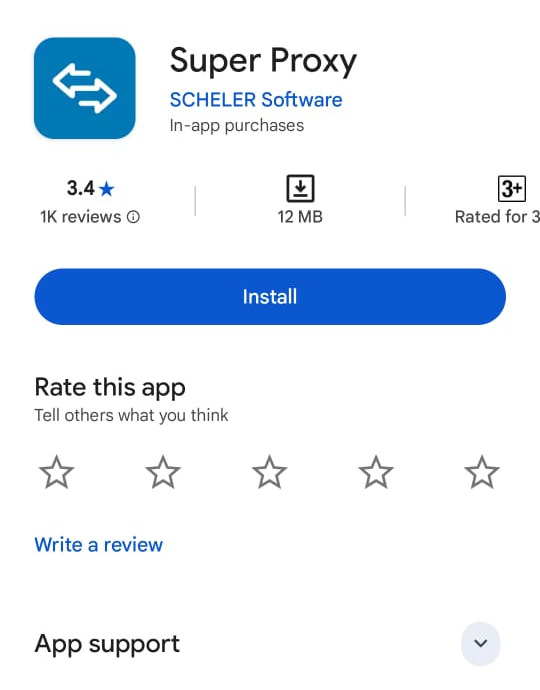
Step 1: Download the App
- Open the Google Play Store on your Android device
- Search for "Super Proxy"
- Tap Install to download and install the app
Configuration
Step 1: Create Proxy Profile
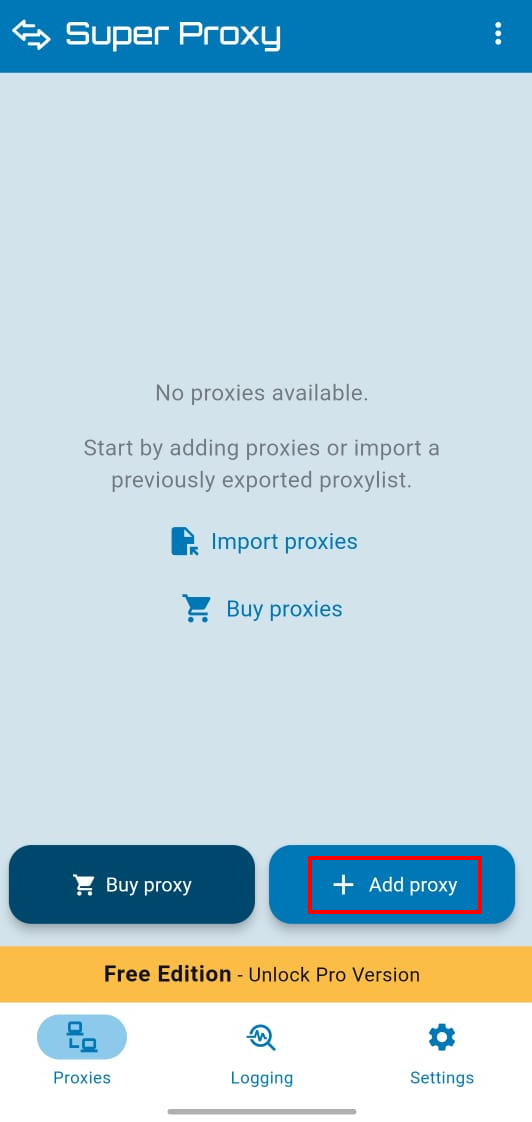
- Open the Super Proxy app
- Tap Add Proxy or the + icon
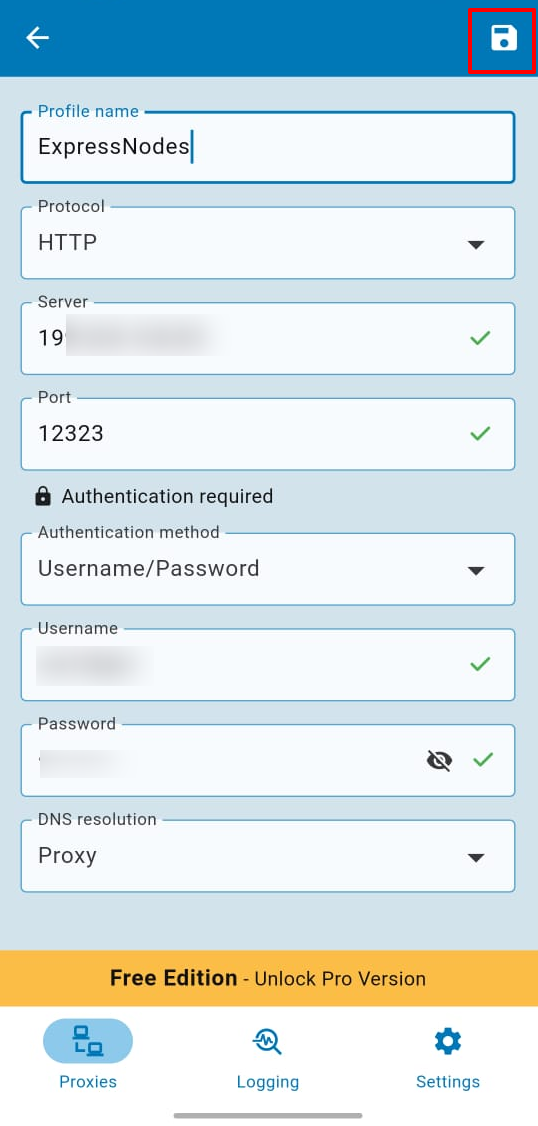
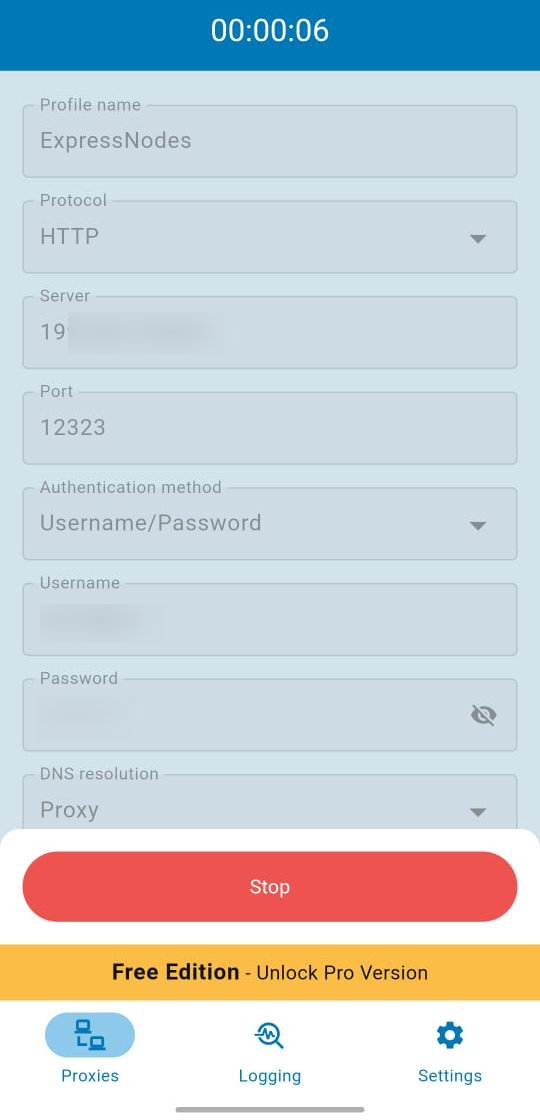
- Enter a Profile Name (any name you prefer)
Step 2: Configure Proxy Settings
- Select your Protocol (HTTP, HTTPS, or SOCKS)
- Enter your Proxy IP address
- Enter your Proxy Port number
Step 3: Set Up Authentication
- Choose Authorization Method as Username/Password
- Enter your proxy Username
- Enter your proxy Password
- Tap Save in the top-right corner
Usage
Starting the Proxy
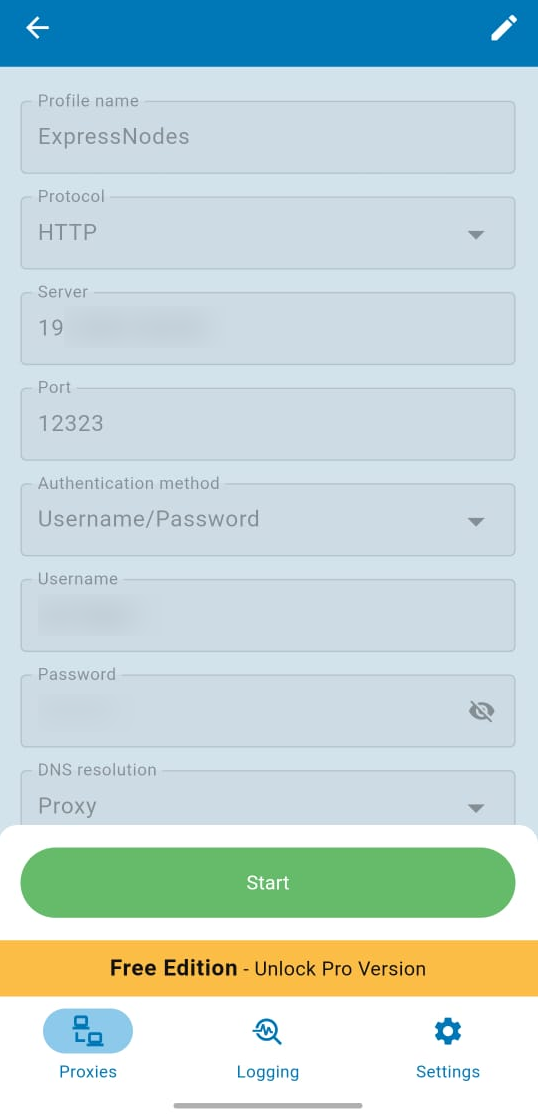
- Select your configured proxy profile from the list
- Tap Start to activate the proxy
- A Connection Request dialog will appear
- Tap OK to allow the VPN connection
- The app will show when the proxy is active
Stopping the Proxy
- Tap Stop to deactivate the proxy
- The VPN connection will be terminated
Common Issues
Connection Request Not Working
- Ensure you tap OK on the connection request pop-up
- Check if your device allows VPN connections
- Grant necessary permissions if prompted
Proxy Not Connecting
- Verify proxy IP and port are correct
- Check username and password for authentication
- Ensure your InterProxy service is active
App Crashes or Freezes
- Clear app cache in Android settings
- Update to the latest version from Play Store
- Reinstall the app if issues persist
Need Help?
If you encounter issues with Super Proxy:
- Verify your proxy server details are correct
- Contact InterProxy support with specific error details